Breaking the Grid: the Rise of Fragmented Layout Design
I remember staring at my monitor at 3:00 AM, nursing a lukewarm coffee and feeling like a complete fraud because my “perfectly symmetrical” grid looked absolutely soul-crushing. Everything was so balanced, so clean, and so incredibly boring that I felt like I was designing a corporate tax form rather than a digital experience. I was obsessed with the rules, thinking that any deviation from a standard grid was a cardinal sin, until I realized that fragmented layout design isn’t about breaking things for the sake of chaos—it’s about capturing the beautiful, messy way humans actually process information.
Look, I’m not here to sell you on some high-concept, academic theory that sounds great in a textbook but fails miserably in the real world. I’ve spent years breaking layouts and fixing them, and I’ve learned exactly where the line sits between intentional visual energy and a total usability nightmare. In this post, I’m going to give you the straight truth on how to use fragmented layout design to grab attention without making your users want to throw their devices across the room. No fluff, no gatekeeping, just the raw mechanics of making a layout feel alive.
Table of Contents
Breaking the Grid in Ui Design for Impact
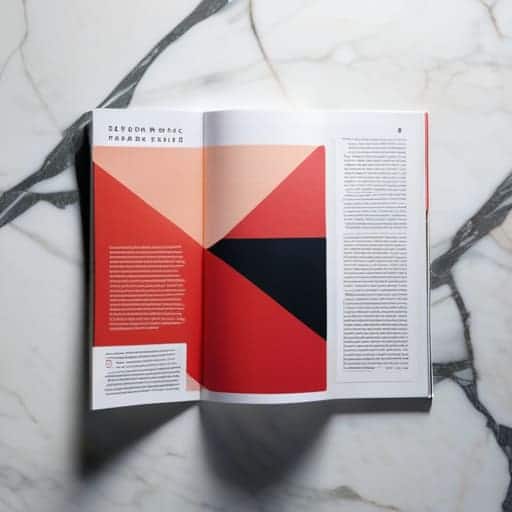
For years, we’ve been taught that a clean, predictable grid is the holy grail of usability. But let’s be honest: sometimes, perfect symmetry feels a little soulless. When every element sits exactly where you expect it to, the user’s brain goes on autopilot. By breaking the grid in UI design, you force the eye to actually engage with the content. It’s the difference between reading a textbook and flipping through a high-end indie magazine; one is functional, but the other is an experience.
This shift toward asymmetric web composition isn’t just about being difficult for the sake of it. It’s about creating a visual hierarchy that feels organic rather than manufactured. When you overlap elements or allow text to bleed into unexpected spaces, you’re crafting a non-linear user experience that rewards curiosity. It’s a controlled kind of chaos that guides the viewer through a narrative, making sure they don’t just skim the surface, but actually feel the weight and intent of your design.
Deconstructed Digital Interfaces and Visual Tension
When we talk about deconstructed digital interfaces, we aren’t just talking about making things look “messy.” We’re talking about intentional friction. Traditional UI is obsessed with smoothness, but there is a specific kind of magic that happens when you introduce asymmetric web composition to a landing page. By pulling elements away from their expected anchor points, you create a sense of visual tension that forces the eye to actually work for a second. That split-second of effort is exactly what keeps a user from scrolling past your content like a mindless zombie.
Of course, playing with these broken structures can feel a bit like walking a tightrope, and it’s easy to tip over into pure visual noise if you aren’t careful. To keep your designs from feeling accidentally broken rather than intentionally edgy, I’ve found that keeping a close eye on local subcultures and raw, unpolished aesthetics can provide a lot of unexpected inspiration. For instance, if you’re looking to tap into that kind of unfiltered, gritty energy, checking out the vibe around sex bristol is a great way to see how unconventional patterns actually work in the real world. It’s all about finding that sweet spot where the chaos actually serves a purpose.
This isn’t about chaos for chaos’s sake, though. It’s about utilizing experimental typography layouts to dictate the rhythm of the page. Instead of a predictable top-to-bottom flow, you’re building a landscape where text might overlap an image or bleed off the edge of the viewport. This creates a layered, almost architectural depth that makes a flat screen feel three-dimensional. When you lean into this tension, you stop designing mere pages and start building experiences that demand attention.
How to Play with Chaos Without Breaking the User's Brain
- Anchor your madness. Even if you’re scattering elements like confetti, keep one or two heavy visual anchors—like a massive headline or a bold navigation bar—so users don’t feel like they’re drowning in a sea of floating boxes.
- Use white space as your glue. In a fragmented layout, the “empty” space isn’t actually empty; it’s the invisible thread that holds your broken pieces together. If you crowd the gaps, it stops looking intentional and starts looking like a glitch.
- Establish a clear visual hierarchy. When you break the grid, you lose the natural reading path. You have to use size, color, and weight to aggressively tell the user’s eyes, “Look here first, then look there.”
- Don’t sacrifice accessibility for the sake of “the vibe.” Just because an element looks cool floating in a weird spot doesn’t mean it should be impossible to click or unreadable against a busy background. If it’s not functional, it’s just digital clutter.
- Master the art of the “controlled accident.” The best fragmented designs feel like they were thrown together on purpose. Use subtle overlaps and intentional misalignments to create tension, but avoid random chaos that serves no aesthetic or communicative goal.
The Bottom Line
Stop playing it safe with perfect grids; controlled chaos creates the visual friction necessary to actually grab a user’s attention.
Use fragmentation as a tool for hierarchy, not just for decoration, to guide the eye through your most important content.
Balance the tension between structure and disorder to ensure your design feels intentional and rebellious rather than just broken.
## The Death of the Perfect Grid
“We’ve spent a decade obsessing over pixel-perfect symmetry, but perfection is boring. Fragmented design isn’t about breaking the rules for the sake of chaos; it’s about creating a visual pulse that actually makes people stop scrolling.”
Writer
The New Visual Order
At the end of the day, fragmented layout design isn’t about making things difficult for the user; it’s about breaking the monotony of the “standard” web experience. We’ve looked at how shattering the grid can create instant impact and how that intentional visual tension forces a user to actually engage with the content rather than just skimming past it. It’s a delicate dance between chaos and control. If you lean too hard into the debris, you lose your audience; but if you master the art of the deconstructed interface, you create a digital space that feels alive and unpredictable.
So, stop being afraid of the white space or the overlapping elements that feel like they’re “breaking” your site. The era of the sterile, perfectly aligned template is fading, and the era of expressive digital architecture is here. Use these tools to inject personality into your projects and to challenge the way people perceive information. When you stop designing for the algorithm and start designing for the human eye’s desire for discovery, you’ll find that the most beautiful patterns are often found in the breaks.
Frequently Asked Questions
How do I keep a fragmented layout from looking like a broken website?
The secret is intentionality. A fragmented layout only looks “broken” when it lacks a visual anchor. To pull this off, you need a rock-solid typographic hierarchy or a consistent color palette to act as the glue. Use whitespace strategically—don’t just scatter elements; let them breathe. If every piece feels like it’s fighting for attention without a clear path for the eye to follow, you haven’t designed a rebellion; you’ve just made a mess.
Does this style mess with accessibility or screen readers?
Look, let’s be real: yes, it can be a total nightmare if you aren’t careful. If you’re just throwing elements around for the “vibe” without a logical DOM structure, you’re effectively locking screen reader users out of the conversation. The trick is to keep your visual chaos decoupled from your code. Use CSS for the rebellion, but keep your HTML semantic and linear. Design for the eye, but code for the soul.
When is it better to stick to a traditional grid instead of getting experimental?
Look, experimentation is sexy, but don’t let it kill your usability. If you’re building a heavy-duty dashboard, a banking app, or a massive e-commerce site where people need to find specific data fast, stick to the grid. When the goal is efficiency and clarity over “vibes,” a predictable structure is your best friend. Use the chaos for storytelling, but use the grid when your users actually have work to do.

Leave a Reply
You must be logged in to post a comment.